
Every day, your front-office team balances patient check-ins, insurance verification, and a constantly ringing telephone. When call volume surges during morning rushes or lunch hours, staff are forced to choose between the patient standing in front of them and the one on the line. Deploying a dental AI receptionist guarantees that no patient is left waiting on hold or forced into a generic voicemail loop.
This specialized automation tool integrates with your daily workflows to process incoming inquiries immediately. By executing routine administrative tasks, the software prevents scheduling leaks and lets your team focus on high-value, in-office patient care.
Why this matters
Front desk burnout is a leading cause of costly staff turnover in dental practices. When your team is overwhelmed by repetitive phone calls, errors creep into your schedule, and patient follow-ups get dropped.
Furthermore, missed dental calls directly damage your marketing ROI. If a new patient calls to book a high-value procedure but hits an answering machine, they rarely leave a voicemail; they simply call the next clinic on their search list. Protecting your practice means providing an instant pathway for patients to engage with your team.
How a dental AI receptionist works in practice
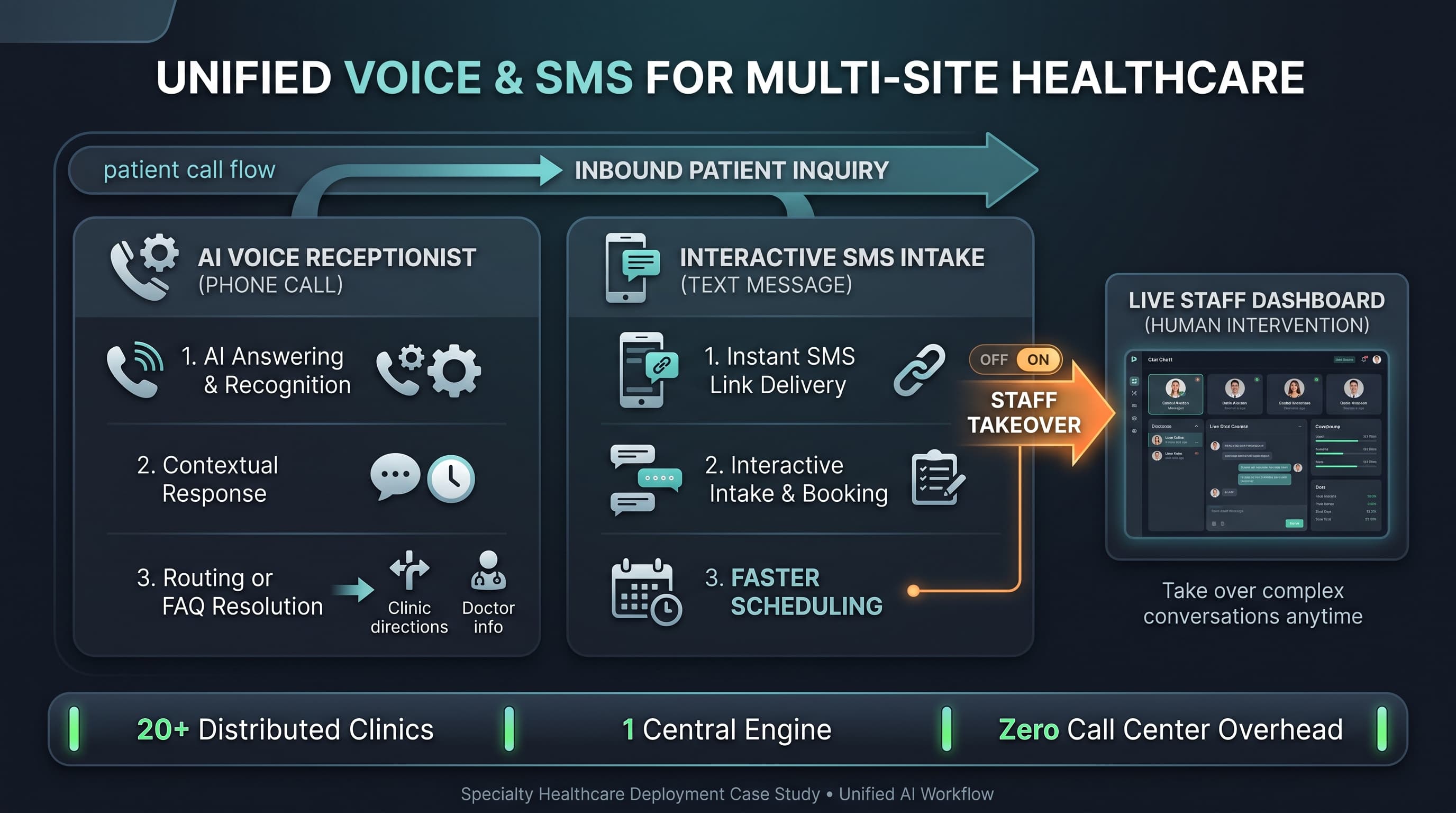
When an inbound call comes in, the software answers in a natural, professional voice. It identifies why the patient is calling—whether it is for a routine hygiene cleaning, an emergency toothache, or an appointment cancellation.
For bookings, the system checks your live calendar for open slots. It guides the patient through automated dental scheduling, blocks out the time according to your provider preferences, and updates the schedule.If a caller presents a complex problem or an active clinical emergency, the system instantly escalates the call to your office staff with a complete summary already prepared.
What to evaluate before choosing a solution
To choose the right automation partner for your practice, focus on these practical operational criteria:
Workflow fit: Does the system respect your specific appointment blockouts, provider configurations, and lunch breaks?
Escalation handling: Can the AI cleanly identify urgent clinical symptoms and route them immediately to your on-call staff?
Booking boundaries: Can you dictate exactly which types of treatments the automated agent is allowed to schedule?
Patient communication quality: Is the interactive voice natural and clear, keeping patients comfortable throughout the call?
Rollout burden: Can your practice go live quickly with guided onboarding, or does it take weeks of technical configuration?
Staff control: Can your office manager easily review call recordings and adjustments at any point during the day?
Common mistakes or risks
A primary risk is deploying an automation tool that lacks direct practice management integration. Systems that simply take an email message and leave it for your staff to manually enter later do not solve your workflow bottleneck; they just change the format of the chore.
Another error is working with vendors that do not respect strict scheduling rules. If an automated system schedules a deep scaling and root planing into a block meant for a quick child hygiene check, it disrupts your clinical production and creates immediate scheduling friction for your providers.
How Powervox approaches this
Powervox balances advanced conversational voice technology with strict operational boundaries. Our Powervox Dental platform acts as a tireless assistant that works directly alongside your human administrative staff.
We don't use workaround email notifications to handle bookings. Our system features native practice management integration with major platforms like Open Dental, Dentrix, and Eaglesoft. This allows the AI to perform real-time scheduling while adhering precisely to your office rules, specific provider templates, and blockouts. Your team gets complete transparency with immediate call logging and transcription, ensuring you retain total control over your practice's telephone communications.
FAQ
Does the software work during our office lunch hours or holidays?
Yes. The system provides complete after-hours and weekend coverage. It can be configured with split business hours to handle call volume whenever your staff is out of the office.
How long does it take to train the system on our office rules?
Onboarding is designed to be straightforward. Guided setup allows most dental practices to configure their specific FAQs, booking rules, and routing paths to go live in less than a day.
Can it handle patients who want to cancel or reschedule their visits?
Yes. The AI reads your live database to locate the patient's existing appointment and can process modifications or cancellations according to your cancellation policy.
Next step
Don't let call volume overwhelm your front desk or cause scheduling leaks. Give your team the support they need to maintain a smooth practice schedule. Learn how Powervox Dental can optimize your practice operations today.